👑The Exclusive Official Store👑
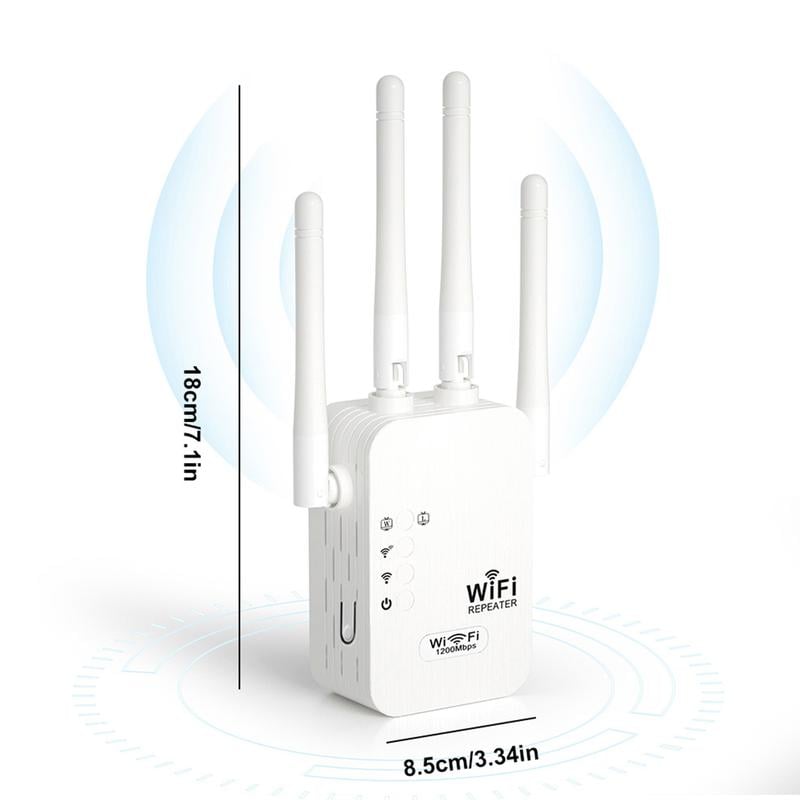
🔥 2025 Wi-Fi Extender, 1200 Mbps Dual Band (2.4GHz & 5GHz) 📶 Signal Booster for Whole-Home Coverage & Stable Connection
🔥 2025 Wi-Fi Extender, 1200 Mbps Dual Band (2.4GHz & 5GHz) 📶 Signal Booster for Whole-Home Coverage & Stable Connection
Couldn't load pickup availability
❤️ TIP: All our products are authentic and protected by genuine patents.
Counterfeits will be strictly investigated.
Please make sure you are purchasing official products.
 🔒 Guaranteed! Google Trusted Store
✅ Secure checkout with PayPal & major credit cards
🏪 PayPal-verified, trusted merchant
💵 $100,000 PayPal Seller Protection in place
⚡ Selling out fast — enjoy the discount while it lasts!
🔥 Prices will go up soon, so make sure to grab enough before the increase!
Eliminate Wi-Fi dead zones with 4 high-performance antennas, delivering strong and stable wireless coverage throughout your home or office.

Dual-band technology (2.4 GHz & 5 GHz) delivers smooth, lag-free connectivity for streaming, gaming, and fast downloads.

Supports Repeater Mode, AP Mode, and Ethernet Connection, letting you extend Wi-Fi coverage, create a new access point, or connect wired devices.

Uses WPA/WPA2 security protocols to safeguard your network, prevent unauthorized access, and keep your data secure.

Works with most routers and devices, and integrates seamlessly into your network with a quick, hassle-free setup.

⚡ Easy 5 GHz Wi-Fi Extender Setup
Setting up the 5 GHz Wi-Fi extender is quick and simple. Just follow these steps:
-
Plug in the extender
Place it in an optimal location — about halfway between your router and the area you want to cover. -
Connect to the extender
On your phone or computer, go to Wi-Fi settings and connect to the extender’s default network. -
Open the setup page
Launch a web browser and enter 192.168.11.1 in the address bar. -
Select your Wi-Fi network
Choose your home 5 GHz Wi-Fi network from the list. -
Enter your Wi-Fi password
Complete the setup by entering your Wi-Fi password. -
Reconnect to the extended network
Once setup is finished, reconnect your devices to the new extended 5 GHz network.
⚡ Stock Is Selling Out Fast! ⚡

👉 Click “Add to Cart” to get yours now!

✈ Worldwide Shipping ✈
💖 Shipping costs are calculated at checkout.
🚢 Worldwide Express Shipping available.

⭐ Why Choose Us?
✔ Direct-from-manufacturer quality
✔ Competitive pricing
✔ Reliable customer support
✔ Trusted by thousands of happy customers
🛡️ Our Promise to You
📦 Insured worldwide shipping with tracking
💰 15-day money-back guarantee
🔒 Secure SSL-encrypted checkout
✅ 100% risk-free purchase — easy refunds & replacements




🔥 2025 Wi-Fi Extender, 1200 Mbps Dual Band (2.4GHz & 5GHz) 📶 Signal Booster for Whole-Home Coverage & Stable Connection